I’m taking a break from gaming and have been using my gaming rig for torrenting and hoarding. But no matter how much I try to tweak power settings through software or through the BIOS, I still hover around 80 Watts. Which isn’t much compared to the 1000 Watts that were gushing into my PC every second when I played [some game] on ultra psycho path tracing settings, but still more than the measly 10-ish Watts that I expect from a Raspberry Pi.
Does anybody here have experience with torrenting on a Raspberry Pi? I would like to hook up four 2.5 inch SATA SSDs to the Pi. The logistics/physical placing of the drives is not a problem.
My current thinking progress is that there surely must be some adapter for the data cables that can interface SATA and the Pics GPIO and I could just let the PSU from my gaming ring sit next to the Pi to power the SATA disks if the Pi cannot supply enough power.
Any thoughts are appreciated!
I have a radxa zero 3w seed box that I also stream movies from by mounting it as a network drive. It’s running dietpi and all traffic goes through a wireguard VPN, it’s connected to a sata SSD via a cheapest USB dongle from aliexpress.
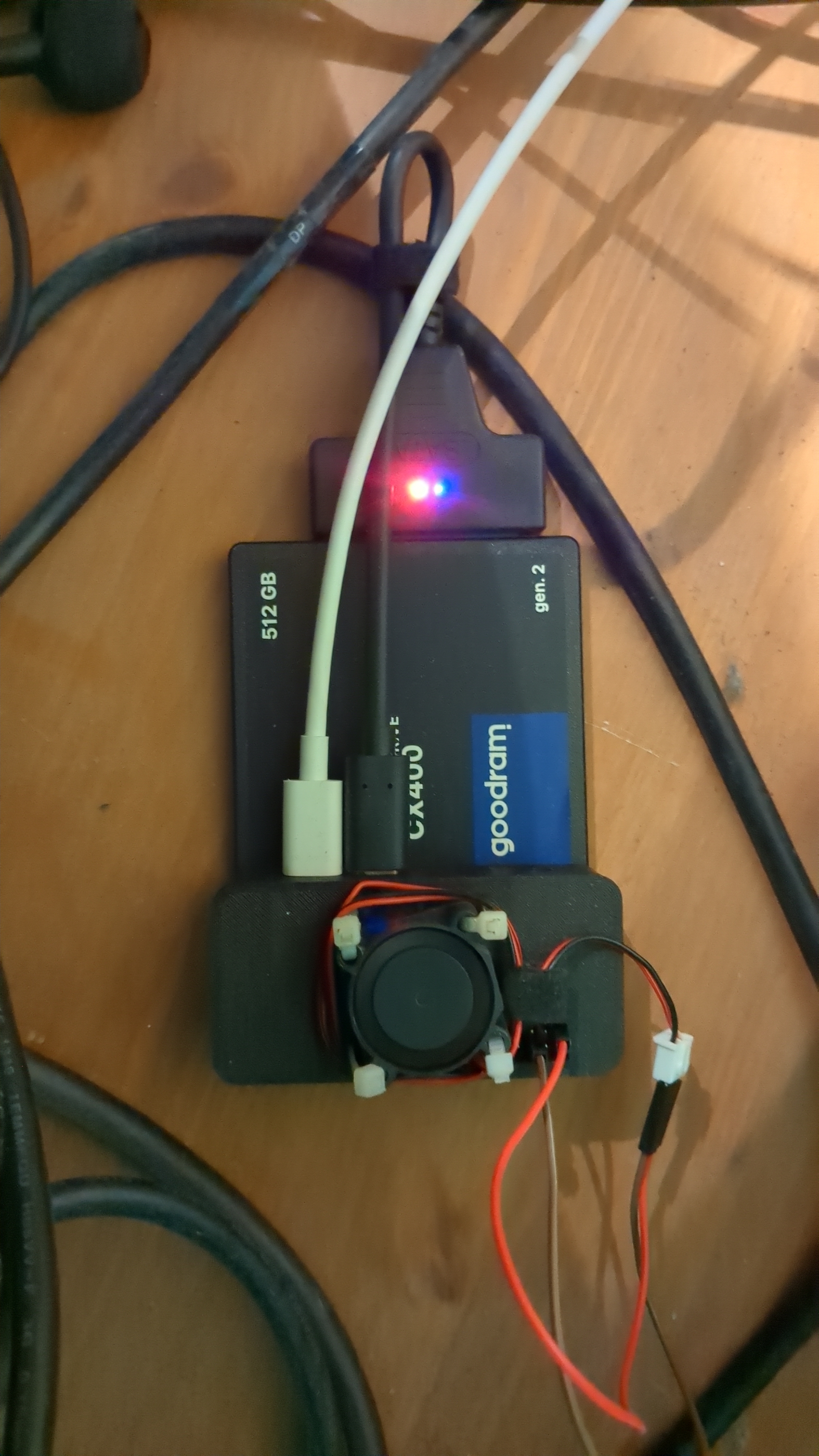
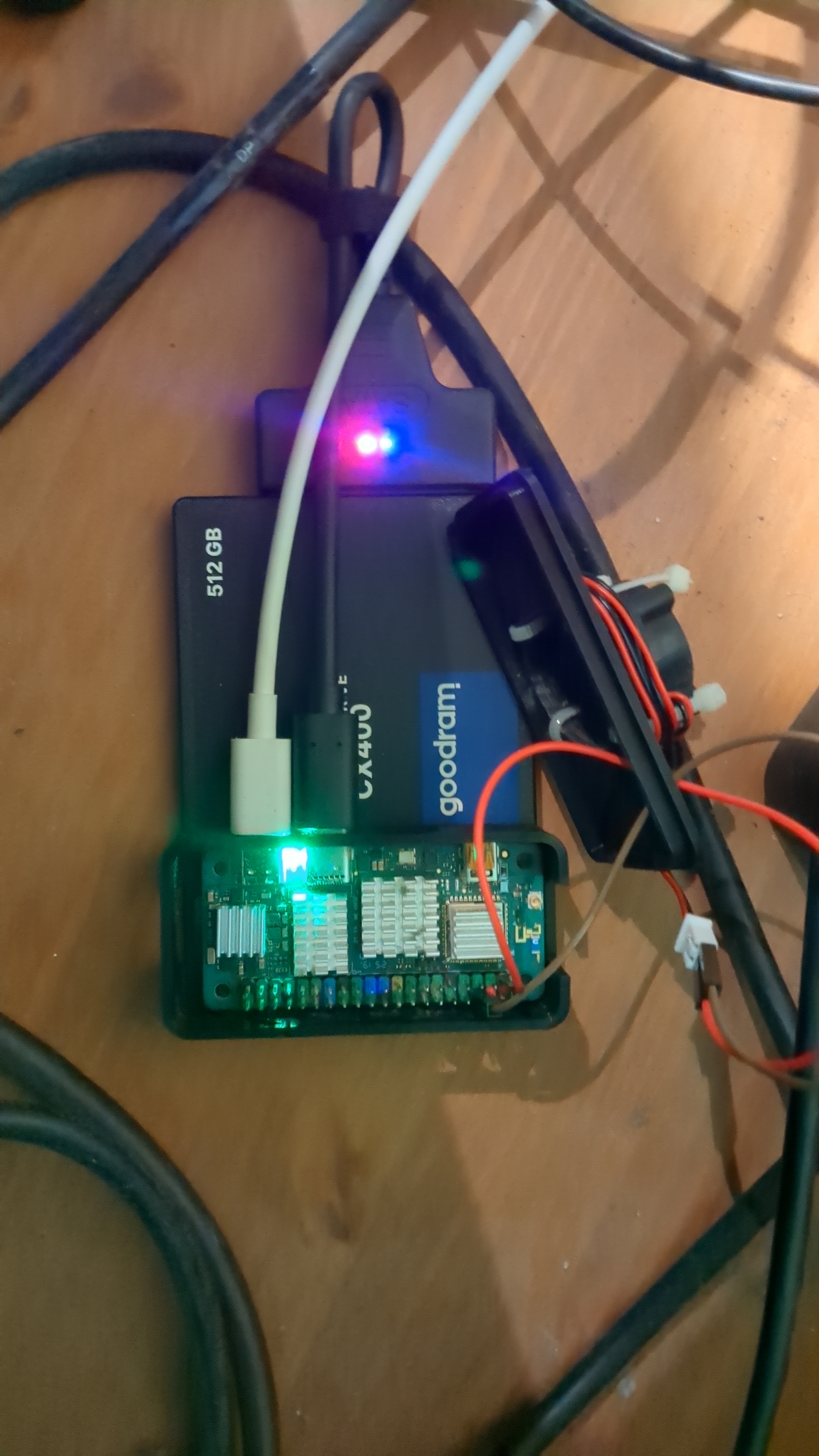

If you want to connect multiple drives a dongle like this one
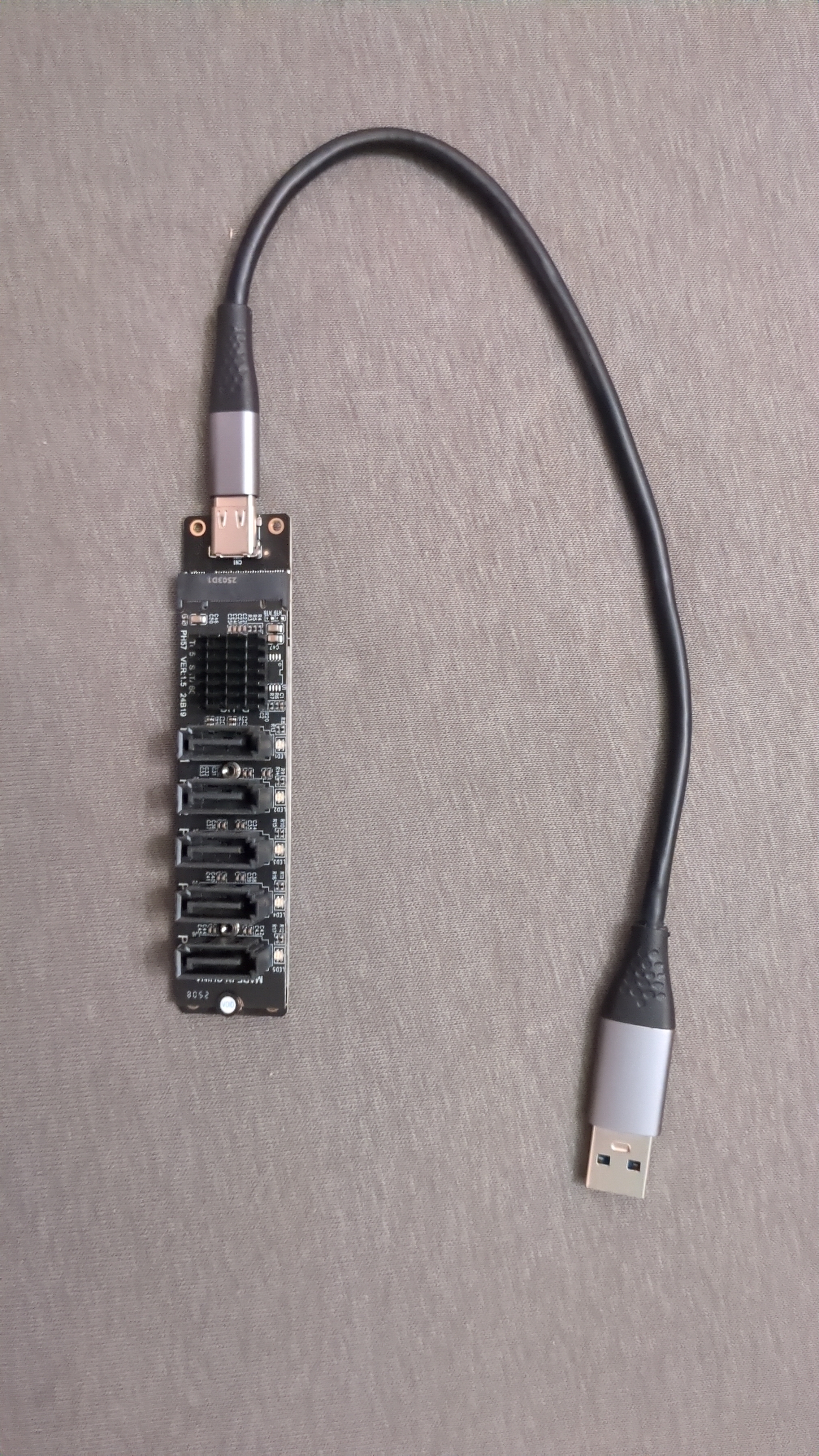
or multiple cheep sata-usb dongles connected via externally powered usb hub should work but your speeds will be limited by the usb.
I haven’t tested it on an sbc but I use it to connect HDDs to my PC that I power from it’s PSU when I do backups. There are also special raspberry pi HATs that allow you to connect multiple SSDs.
https://www.jeffgeerling.com/blog/2024/radxas-sata-hat-makes-compact-pi-5-nas/
With my setup I get ~12 MiB/s download (probably limited because of the VPN overhead) , ram usage doesn’t go above 512 MB even with dietpi dashboard and some of my scripts running. The biggest issue was heat, I had to buy radiators and a fan to keep the temps in the safe range. Other than that everything works great.

You can check benchmarks on dietpi’s website to see what sbc would work best with your network.
That fan/lid is to die for. Sic setup! Thanks for sharing! :)
Well, I did not have to look far:
https://www.jeffgeerling.com/blog/2024/radxas-sata-hat-makes-compact-pi-5-nas/
But I still would love to hear any relevant anecdotes! :)
Get rid of the SD card and only use the SSDs. It’s a common point of failure with Pis - SD cards aren’t designed for frequent writes.
Fun fact, even reads wear out solid state media! https://superuser.com/questions/722917/will-mounting-a-file-system-read-only-increase-the-lifespan-of-an-ssd/725145#725145
But it would take decades of constant reads to wear it out. SD cards are less durable than ssds, but even there you probably wouldn’t be able to achieve it with reads exclusively.
As long as its just the torrenting, it should be totally fine. The only thing that wouldn’t work is if you want to also run Jellyfin on it as it would really struggle with transcoding.
Thanks! Nah, I use bare bone
sshfsto stream media (call me a lunatic) to a separate media player turned Lenovo T480 (which plays 4K just fine with a little indiscernible fan noise).Consider using NFS instead of sshfs for more reliability.
NFS like the other person said. Or Samba. I’ve been rocking samba sharing for years with almost no trouble. Mounts reliably and performs speedily without the pitfalls of sshfs potentially tweaking out or just causing unnecessary load on moving data around.
Samba is good too, but needs some config tweaking to hit top speeds on faster networks (5Gbps, 10Gbps or more). Probably not relevant here since the Pi only has a gigabit Ethernet port.