While that’s true, Logitech’s MX Master has its upsides. First, you don’t need to use a specific USB dongle for it. Instead, a single Logitech USB receiver can connect to up to 3 devices, so you have the freedom to connect with either the dongle or the computer’s Bluetooth.
As a result, I have a single MX Master 3 connected to three of my systems. In comparison, my wife bought a Microslop’s ergonomic keyboard and it’s now just a brick because the Bluetooth dongle broke and there’s no solution.
Which one? Please do share the link or name as well. My MX Master 2 died recently when I tried to replace its switches to make it silent. Right now, I’m using MX Master 3, but I find it less reliable than 2, so I’d love to hear about a budget mouse I can use that’s also ergonomic and similar to these mice.
Sorry for the delay, mate. I live in a different town to my parents. I just visited them, and they replaced the mouse with a Microsoft mouse, that does less, and requires their shitty drivers. At least it’s a pretty blue color -___-


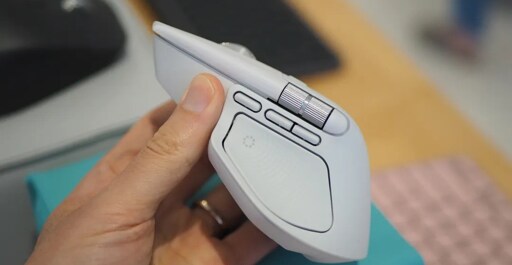
While that’s true, Logitech’s MX Master has its upsides. First, you don’t need to use a specific USB dongle for it. Instead, a single Logitech USB receiver can connect to up to 3 devices, so you have the freedom to connect with either the dongle or the computer’s Bluetooth.
As a result, I have a single MX Master 3 connected to three of my systems. In comparison, my wife bought a Microslop’s ergonomic keyboard and it’s now just a brick because the Bluetooth dongle broke and there’s no solution.
My pop’s cheap Chinese mouse does the same thing, and it doesn’t rely on the internet (and, yes, I checked firewall logs).
Which one? Please do share the link or name as well. My MX Master 2 died recently when I tried to replace its switches to make it silent. Right now, I’m using MX Master 3, but I find it less reliable than 2, so I’d love to hear about a budget mouse I can use that’s also ergonomic and similar to these mice.
Sorry for the delay, mate. I live in a different town to my parents. I just visited them, and they replaced the mouse with a Microsoft mouse, that does less, and requires their shitty drivers. At least it’s a pretty blue color -___-
Bluetooth mice are also limited to a 250hz poll rate iirc
I honestly can’t tell the difference between 250hz and 8kHz. And I bet most people can’t either.